Does it work with CoderPad, HackerRank or LeetCode?
Yes, on Windows. It reads the problem off your screen once you turn on Screen, or hears it from the call. The typer then types into any editor you can type into, including a browser pad.
For anyone with a coding round ahead, where you write working code and explain it while someone watches. NextBeing writes it in your interview's language and checks it as it is written. Above each step is the sentence to say.
Windows 11 · Plans from $49 a month · 14-day money-back guarantee
On a phone? Email yourself the link for your PC.
Use it in a live interview only where AI help is allowed, and check the interview's rules first. Practice anywhere.
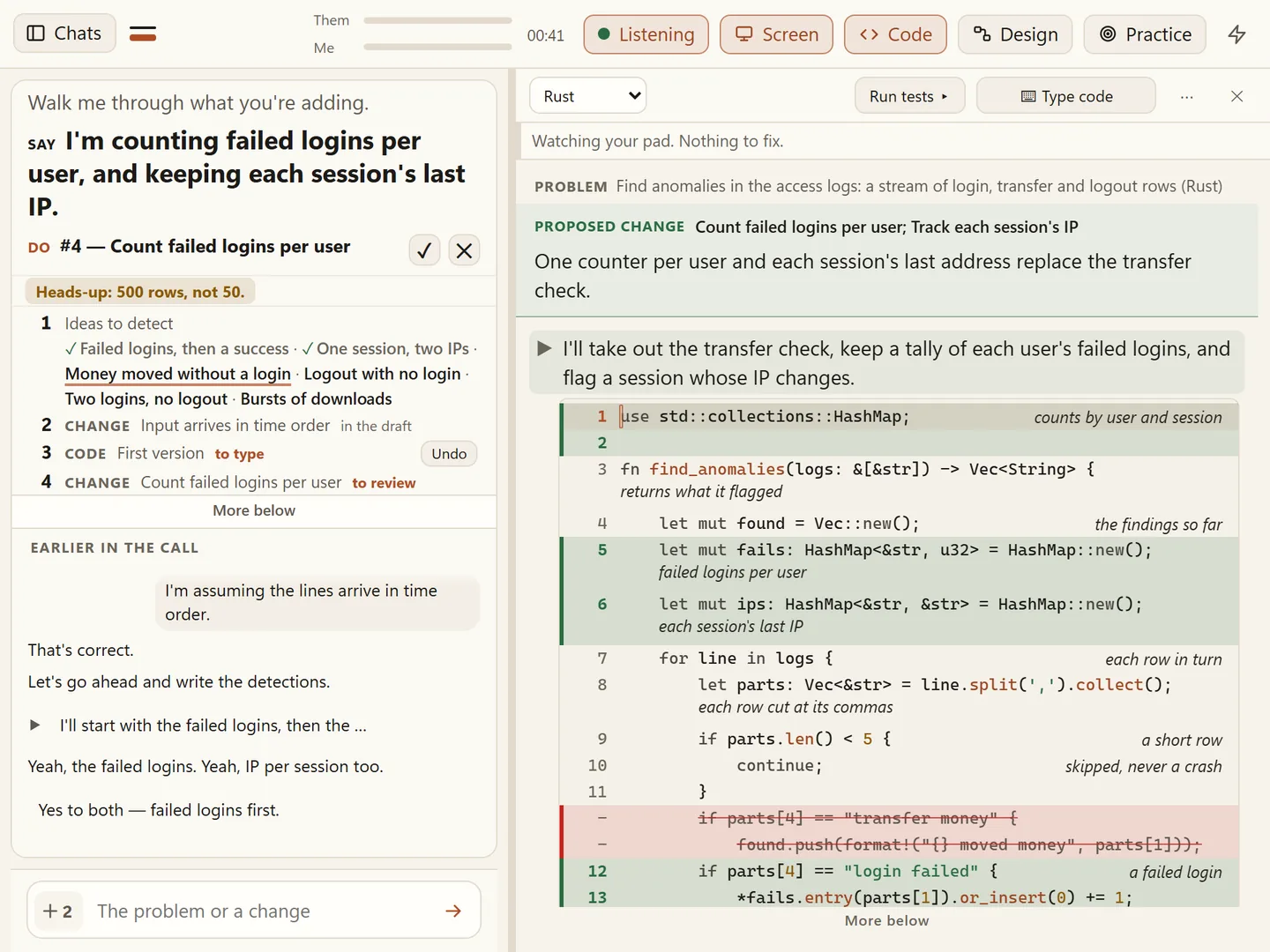
An error shows up on your side first, marked by line. You also get the change that fixes it. You fix it before you type it, not after they spot it.
Being watched while solving a problem cut scores by more than half in one study. Explaining is part of the grade, so above every one to three lines sits a short sentence to say. You read it out while your hands type.
A change they ask for becomes the next version, written into the code you already have. A question about your code gets an answer to say. Before you start, it suggests questions to ask; Canva's interviewers say they credit those.
The kinds of coding question it takes, in any of 13 languages.
13 languages: Python, JavaScript, TypeScript, Java, C#, C++, C, Go, Rust, Kotlin, Swift, Ruby, SQL.
Yes, on Windows. It reads the problem off your screen once you turn on Screen, or hears it from the call. The typer then types into any editor you can type into, including a browser pad.
It hears the call's sound and your microphone. It reads your screen only after you click Screen. It types into your editor only while you press keys.
The code bar shows ✓ compiles, or the errors by line. Each error comes with a fix to accept. With Screen on, a line you typed wrong turns red until you fix it.
About what a passing candidate writes: 15 to 22 lines in Python, 20 to 26 in Java or Go. Tighter ▸ offers a shorter version if you want one.
Not yet. The Mac app is coming soon, for Macs with Apple silicon on macOS 15 or later. The Mac page shows how it will work and can email you the day it is out.
All of these are optional. The defaults suit most rounds.
Step by step: on Windows → · on a Mac →
More: Code typer · AI mock interviews · Live interview answers · System design interviews · Answers from your resume