Does it take over my keyboard or my window?
Only while it is on. Each key you press types the code's next character instead of its own letter. Ctrl, Alt and Win shortcuts still work. Press Esc and your keyboard is yours again.
For coding rounds where you have to type the answer while you explain it. Copying code by eye from a second window splits your attention and invites typos. With the typer, each key you press types the next character into your editor.
Windows 11 · Plans from $49 a month · 14-day money-back guarantee
On a phone? Email yourself the link for your PC.
Use it in a live interview only where AI help is allowed, and check the interview's rules first. Practice anywhere.
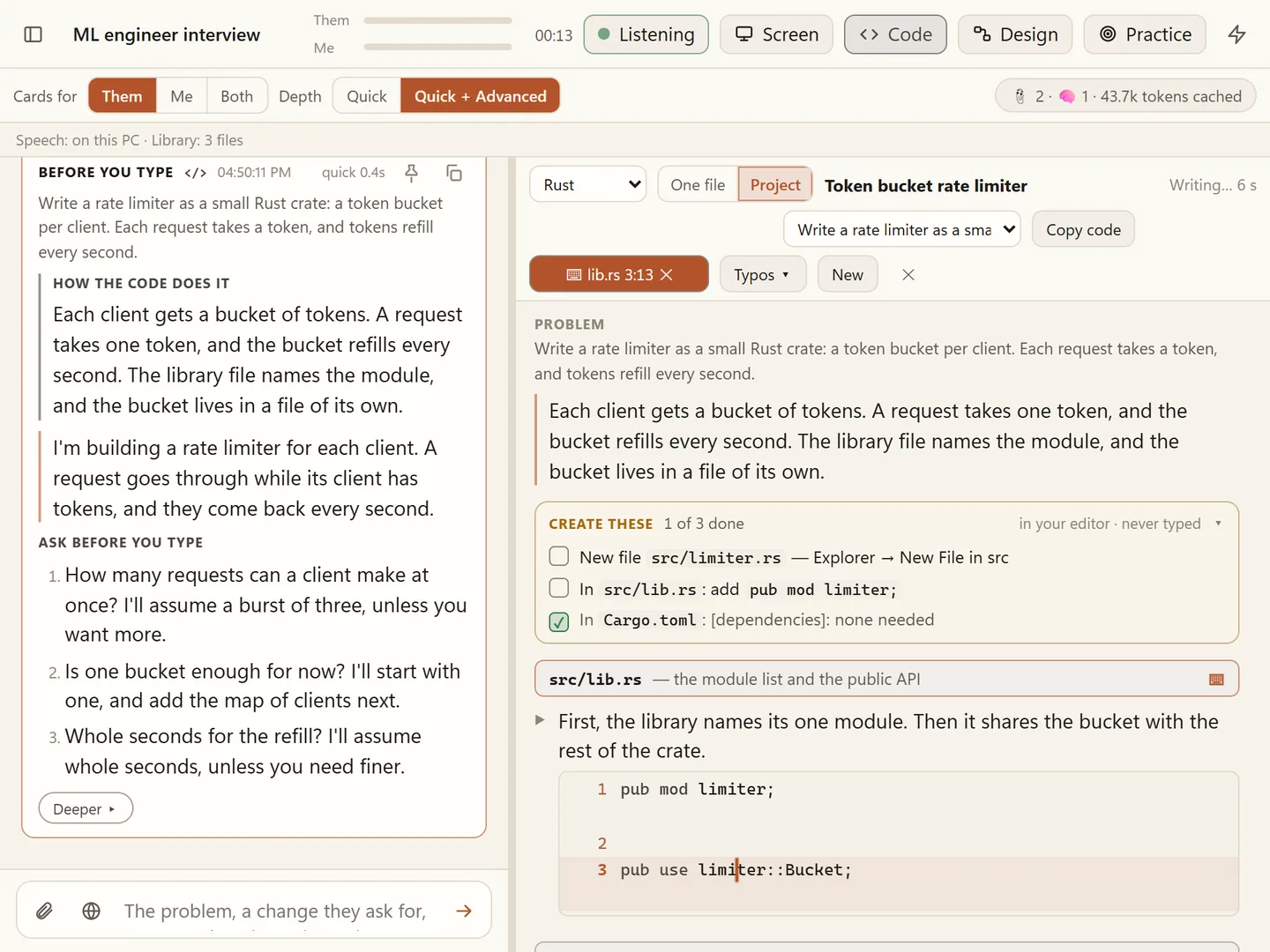
Talking while doing computer work slows the work down, one study found. Here the typing needs no thought: any key gives the next character, so you can keep explaining without reading code off another window. Your eyes stay on your editor and the call.
It types into any editor you can type into, like CoderPad, VS Code or Notepad. In a code editor, it clears what the editor adds by itself. The file then matches the version you accepted. Terminals, chat apps and password windows are left out.
Each character goes out only for a key you press, and only into the window you clicked. Stop pressing and it waits for you. Press Esc and it ends, from any window. Other windows and tabs get nothing.
Only while it is on. Each key you press types the code's next character instead of its own letter. Ctrl, Alt and Win shortcuts still work. Press Esc and your keyboard is yours again.
Turn on Screen. It reads your editor, and a line that came out wrong turns red until you fix it. With Screen off, it reads nothing on your screen.
Not yet. The Mac app is coming soon, for Macs with Apple silicon on macOS 15 or later. The Mac page shows how it will work and can email you the day it is out.
Any key types the next character. A few keys do a little more.
It starts where you point and goes on from there.
Step by step: on Windows → · on a Mac →
More: Coding interview exercises · AI mock interviews · Live interview answers · System design interviews · Answers from your resume